Multi-service definitions
Describe any number of services, each built locally or pulled from a registry.

docker compose unifies your application architecture through declarative services, networks and persistent storage. Transform intricate container configurations into reproducible environments, disciplined development workflows and confidently managed deployments, with coherent control across your entire project.
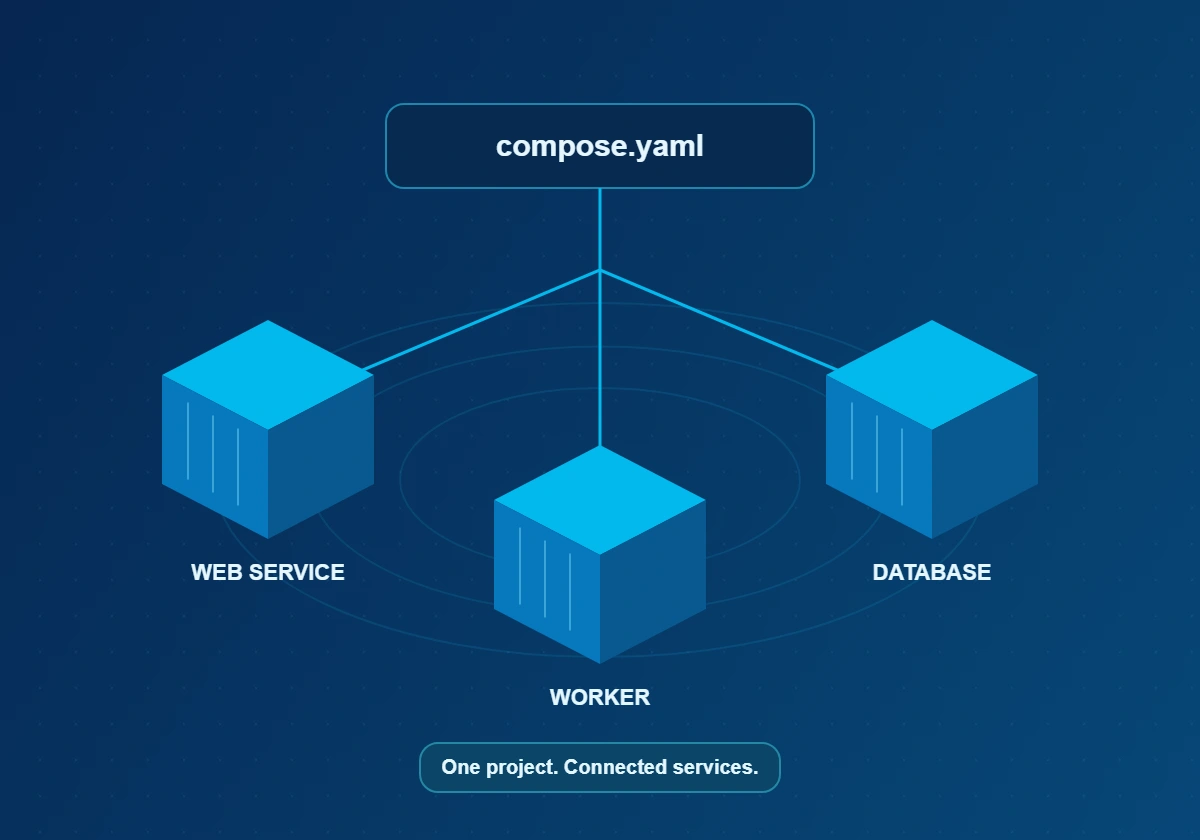
docker compose is an open-source tool for defining and running multi-container applications. Rather than issuing a long series of docker run commands, you write a declarative docker compose file — normally compose.yaml — that states which services exist, how they connect and what data they keep.
Compose then reads that description and asks the Docker Engine to create the networks, volumes and containers in the correct order. Because the file is plain text, it can be reviewed, versioned and shared exactly like source code, helping teams reproduce service topology while recognising that image architecture, host configuration and external dependencies can still differ.
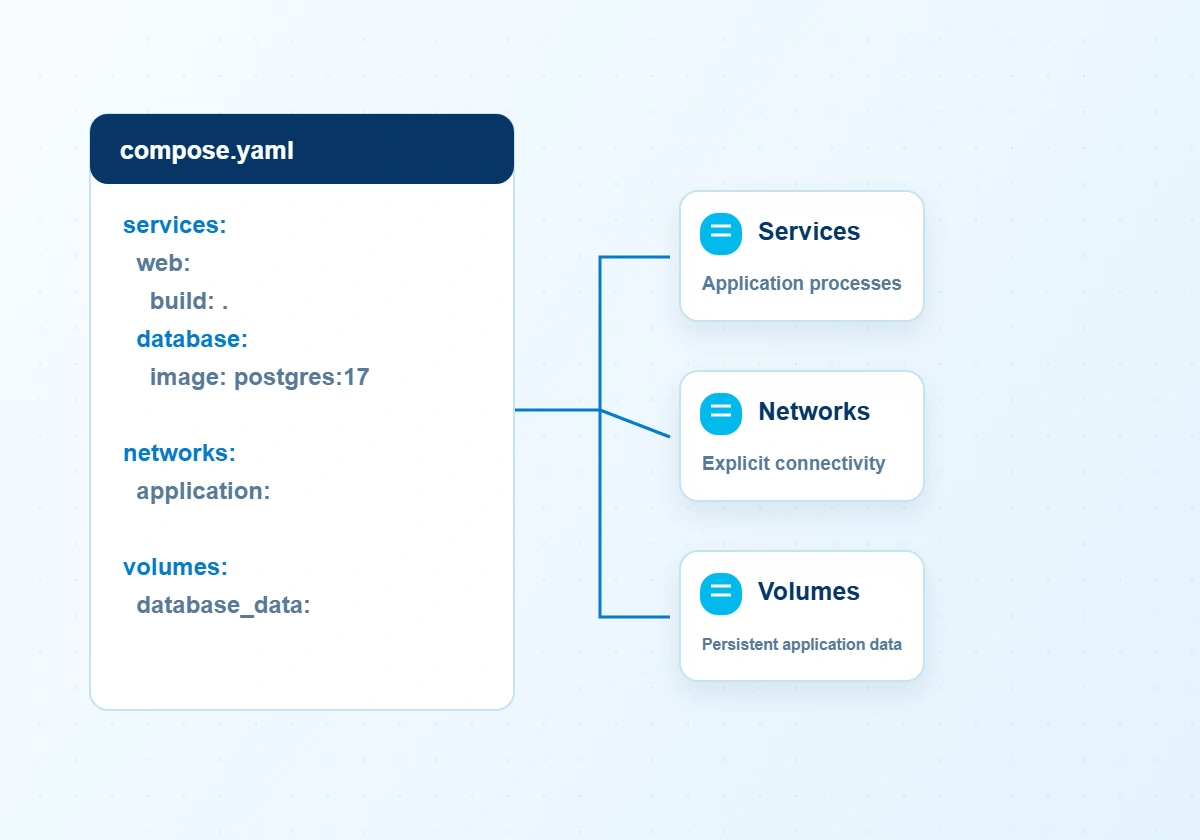
docker compose reconciles an explicit application model with the Docker runtime. Service dependencies, persistent storage, selective profiles and development synchronisation provide precise control without dispersing configuration across ad hoc scripts.
Describe any number of services, each built locally or pulled from a registry.
Services discover one another by name through built-in DNS — no hard-coded IP addresses.
Named volumes preserve application data across container replacement. Independent backups remain essential; a volume is not a recovery strategy.
Gate start-up on real readiness with condition: service_healthy.
docker compose watch synchronises files, rebuilds images or restarts services as you edit, giving a near-instant development loop.
Grant selected services access to secret files. Protect the source files separately; local Compose secrets do not provide an encrypted secret vault.
Replicate stateless services and switch optional tooling on or off with profiles.
Resolve overrides and interpolation with docker compose config, and inspect the application model before starting services.
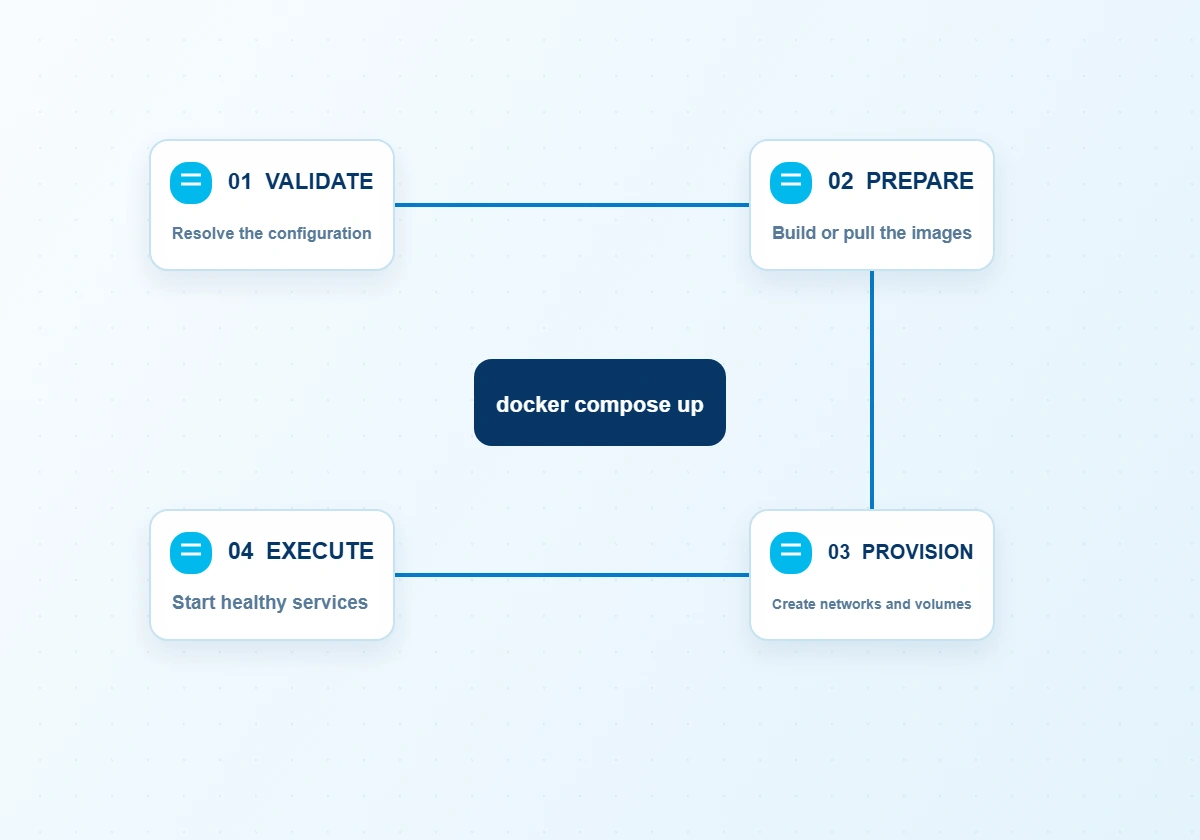
The docker compose up command translates a declarative model into concrete runtime resources. Configuration resolution, image preparation and dependency evaluation precede execution; subsequent invocations reconcile the application with its revised declaration.
Compose loads compose.yaml, merges any override files, substitutes variables from your shell or .env file and validates the result against the Compose Specification.
Services with a build section are built from their Dockerfiles; the rest are pulled from registries such as Docker Hub.
A dedicated project network is created so services can reach each other by name, alongside any named volumes and secrets.
Containers start according to depends_on and health conditions. Later runs reconcile changes, recreating only what has altered.
services:
  web:
    build: ./flask
    depends_on:
      db:
        condition: service_healthy
  db:
    image: postgres:17
    healthcheck:
test: ["CMD-SHELL", "pg_isready"]Select the installation route appropriate to your operating environment. Docker Desktop includes the Compose plugin on Windows and macOS; Linux hosts can obtain it from Docker's official package repository alongside a compatible Engine and CLI.
wsl --install.wsl --install
# after installing Docker Desktop:
docker compose version.dmg and drag Docker into Applications.# optional: install via Homebrew
brew install --cask docker
docker compose versiondocker-compose-plugin.docker group.docker compose version.sudo apt-get update
sudo apt-get install docker-ce docker-ce-cli \
containerd.io docker-compose-plugin
sudo systemctl enable --now docker
docker compose versiondocker compose up creates and starts everything; down removes it again. Between those two, a handful of commands cover logs, shells, builds and validation.
docker compose up -d — start the stack in the background.docker compose logs -f — follow aggregated logs.docker compose exec web sh — open a shell in a service.docker compose config — validate and print the resolved file.docker compose version — show the installed release.$ docker compose up -d --build
[+] Running 4/4
✔ Network app_default Created
✔ Volume app_db-data Created
✔ Container app-db-1 Healthy
✔ Container app-web-1 Started
$ docker compose ps
NAME SERVICE STATUS PORTS
app-db-1 db Up (healthy) 5432/tcp
app-web-1 web Up 0.0.0.0:8000->8000/tcpFrom the first day of development to modest production deployments, Compose shortens feedback loops and removes configuration drift. Scroll sideways to explore seven common scenarios.
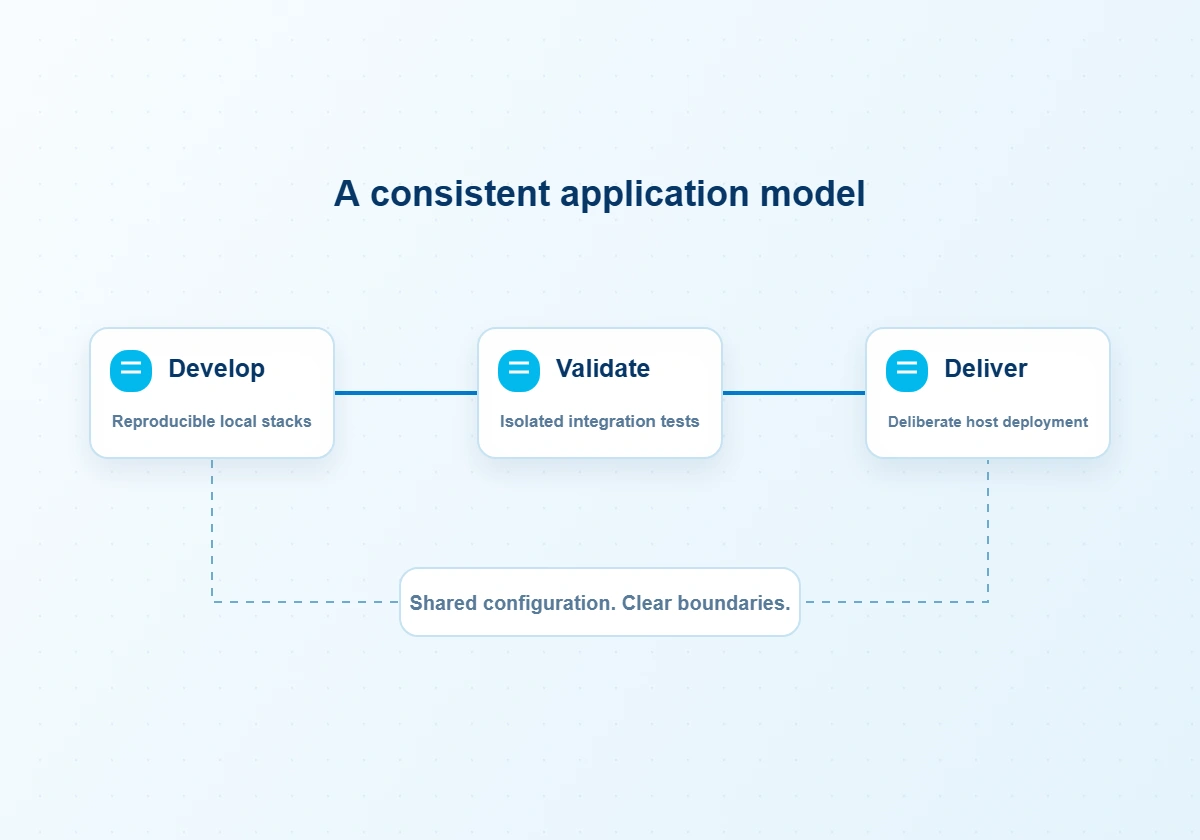
All ports, volumes and variables live in one reviewed file rather than scattered scripts.
CI jobs spin up real databases and brokers, run integration tests, then tear them down cleanly.
Distinct project names let isolated copies of a stack run side by side on one host.
New team members are productive within minutes: clone, run one command, start coding.
Several small services share one machine efficiently while remaining independently upgradeable.
Reproducible environments make bugs reproducible, with debugger ports and shells on demand.
Pull new images and run up -d; only changed services are recreated.
Download the docker compose source archive for inspection and development. A source archive is not an installer; desktop users normally obtain Compose through Docker Desktop.
Download docker composePrefer a ready-made binary? Docker Desktop bundles Compose automatically, and Linux users can install the docker-compose-plugin package.
Compose is designed for single-host applications. The table below shows how it compares with orchestrators and with its own legacy predecessor.
| Criterion | docker compose (v2/v5) | docker-compose v1 | Docker Swarm | Kubernetes |
|---|---|---|---|---|
| Scope | Single host | Single host | Multi-host cluster | Multi-host cluster |
| Maintenance status | Active | End of life | Maintained | Active |
| Learning curve | Gentle | Gentle | Moderate | Steep |
| Self-healing across nodes | No | No | Yes | Yes |
| Configuration format | Compose Specification | File format 2.x / 3.x | Compose file (stack) | Kubernetes manifests |
| Best suited to | Development, CI, small production | Legacy projects only | Simple clusters | Large-scale production |
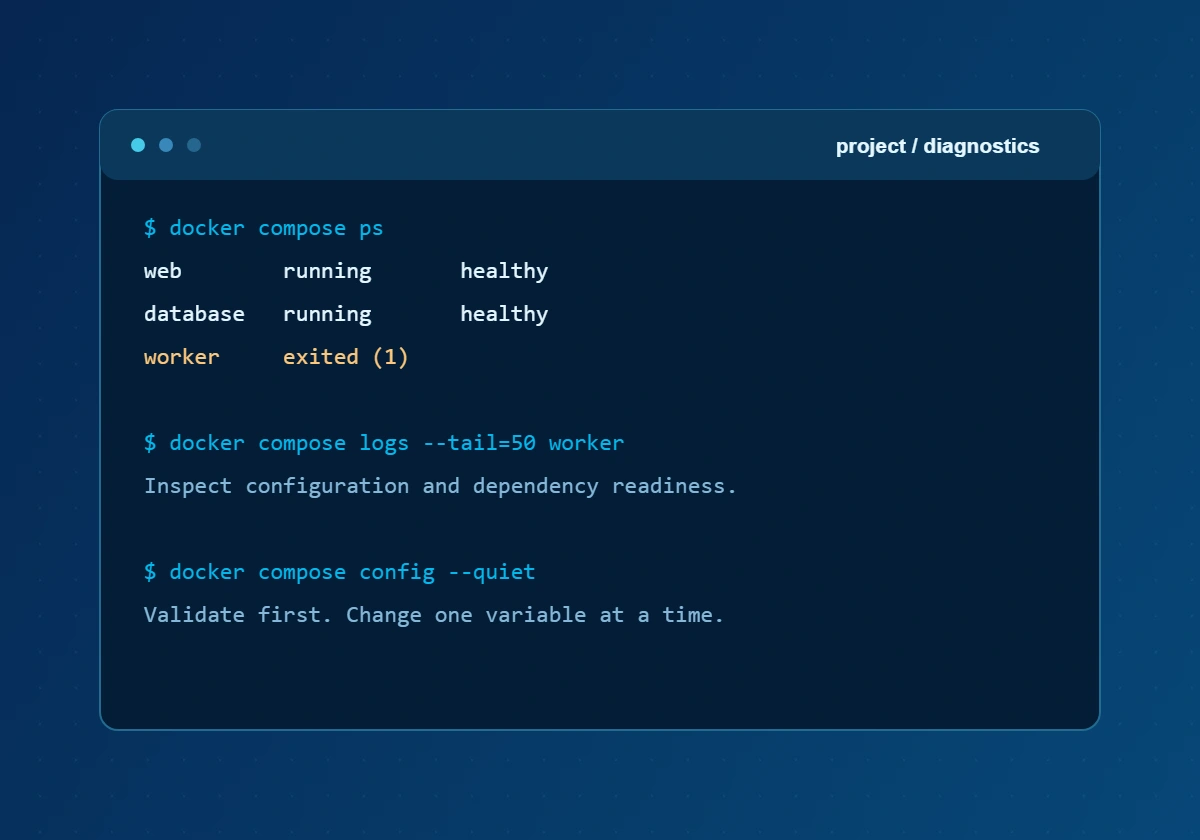
Most failures fall into a few predictable categories. Begin with docker compose config to validate the file, then read the logs of the specific service that is failing.
not implemented Identify the originating componentdocker compose plugin, then reproduce the issue with a minimal project before changing unrelated settings.port is already allocated Port conflict"8080:80".Cannot connect to the Docker daemon Engine offlinesudo systemctl start docker on Linux, or wait for Docker Desktop to finish starting. Check that your user can access the Docker socket.yaml: did not find expected key Syntax errordocker compose config to locate the exact line.Exited (1) Container stops immediatelydocker compose logs service. Missing variables and unready dependencies are the usual culprits; add a health check with service_healthy.pull access denied Image not founddocker login for private registries.version is obsolete Warningversion: line. Modern Compose ignores it.Compose itself is lightweight; the requirements below are those of the Docker platform on which it runs. Real-world needs depend on the containers you start.
docker compose is open-source, publicly audited software maintained by Docker, Inc. and its community. Like any powerful tool, however, it is only as secure as the configuration you give it.
Use Docker Desktop, your distribution's Docker repository or the official docker/compose GitHub repository, and verify checksums for binaries.
Grant secrets only to the services that require them, restrict permissions on their source files and exclude credentials from version control. Local Compose secrets do not automatically encrypt host files.
Prefer official or verified images, pin specific tags and scan images for known vulnerabilities before deployment.
Publish only the ports you need and place databases on internal networks unreachable from outside.
Membership grants root-equivalent access. On shared machines, consider rootless Docker.
Apply Compose and Engine updates promptly; releases regularly include security fixes.
Verdict: when obtained from official sources and configured with sensible defaults, docker compose is a safe, mature and widely trusted tool used by millions of developers.
No tool is perfect for every situation. Weigh these strengths and limitations against your own requirements.
Twenty-one considered answers covering foundational concepts, platform compatibility and operational judgement.
docker compose is a declarative tool for defining and running applications comprising several containers. A Compose file records services, networks and storage so that the application can be managed as a coherent project.
Docker Engine builds and runs individual containers. docker compose uses the Engine API to coordinate a collection of services described in YAML; it complements the runtime rather than replacing it.
Use compose.yaml as the preferred conventional file name. Compose also recognises compose.yml and the older docker-compose.yaml and docker-compose.yml names. The -f option selects an explicit file.
The docker compose project is open-source software under the Apache 2.0 licence. Docker Desktop is a separate product with its own subscription conditions; review those terms for your organisation.
The top-level version field is obsolete in modern Compose. Configuration is interpreted against the current Compose Specification, so an old version number does not select a separate parser or unlock features.
Services on the same Compose network normally resolve one another by service name. Use the destination service name and container port for internal traffic; localhost inside a container refers to that container itself.
Compose is particularly useful for development, integration testing and deliberately managed single-host deployments. It does not independently provide multi-node scheduling, automatic failover or cluster-wide high availability.
Docker Desktop includes the Compose CLI plugin. Use a supported Windows environment, enable hardware virtualisation and configure the appropriate backend, commonly WSL 2. Start Docker Desktop before validating the installation.
Install the Docker Desktop package appropriate to Apple silicon or Intel hardware. Launch the application, allow its engine to initialise and confirm that docker compose version returns the installed plugin version.
Configure the official Docker package repository for your distribution, then install docker-compose-plugin through the supported package manager. The Docker CLI and a reachable Docker Engine are also required.
Run docker compose version in your terminal. Compare the result with the official docker/compose release channel when planning an upgrade; release numbers change, and package repositories may distribute different versions.
The hyphenated command generally refers to the legacy standalone interface. The space-separated docker compose command invokes the modern Docker CLI plugin and should be used for current installation instructions and workflows.
A container image must support the intended execution architecture or run through a suitable emulation layer. Multi-platform images simplify distribution, but emulation can affect performance and does not eliminate every compatibility constraint.
Compose itself has a modest footprint; the runtime and application services determine practical capacity. Docker Desktop on Windows requires at least 8 GB of system RAM, while macOS requires at least 4 GB. Allocate additional resources for your workload.
Dependency order alone does not establish application readiness. Define a meaningful database healthcheck and use depends_on with condition: service_healthy so that the dependent service starts after that check succeeds.
Inspect the host process already bound to the published port. Stop the conflicting service or change the host-side mapping; the application can usually retain its existing container-side port.
Run docker compose config to resolve interpolation, combine configuration files and validate the resulting model. Review its output carefully because resolved environment values may include sensitive information.
By default, down removes project containers and networks while retaining named volumes. Adding --volumes removes declared named volumes and attached anonymous volumes, which can permanently destroy stored data. External volumes are not removed.
Local Compose secrets restrict which services receive a secret file, but they are not automatically an encrypted vault. Protect source files and host access, and use an appropriate secret-management system where stronger controls are required.
Start with docker compose ps and docker compose logs --tail=100 SERVICE. Inspect the exit status, effective configuration and dependency health. Use exec only when a container is running, and redact credentials before sharing diagnostics.
The --scale option can replicate suitable services, but fixed host ports, container_name values and local state may prevent straightforward replication. Use external routing and deliberate data coordination; additional replicas alone do not provide resilience.